Part 3 of 6 Watching and steering in a browser
The agenda, the list and the board
By the end of this chapter you know which of the three views answers which question, you have moved a piece of work from one column to another, and you can get from any of them to the whole of an item.
They are not three features. They are three questions, and reaching for the wrong one is most of what makes a tracker feel like work.
The work so far
Both projects as A standing instruction left them: the beta and the launch on the roadmap, and the phone check done.
uv tool install subroutine
subroutine init
subroutine project create web "Website rebuild"
subroutine agent create claude --profile worker --project web --store
subroutine add "Write the copy for the home page +web"
subroutine add "Choose a typeface for the headings by Tuesday +web"
subroutine add "Agree the new navigation +web"
subroutine add "Build the new navigation +web ~1d"
subroutine add 'Audit the third-party scripts +web !3/2'
subroutine link 3 blocks 4
subroutine done 3
subroutine document create "Navigation stays one level deep" --type decision --project web --body "One level, and the four second-level links go in the footer."
subroutine link 6 documents 4
subroutine document create "Do not generate the navigation from the sitemap" --type dead_end --project web --body "It goes stale the moment a page moves, and the build cannot tell."
subroutine link 7 documents 4
subroutine document create "The analytics tag loads the consent banner a second time" --type finding --project web --body "Both are injected by the tag manager."
subroutine link 8 documents 5
subroutine add "Write the dropdown markup +web" --under 4
subroutine add "Check the navigation on a phone +web" --under 4
subroutine document create "The dropdown opens on click, not on hover" --type decision --project web --body "Hover has no equivalent on a touchscreen."
subroutine link 11 documents 9
subroutine add "Must the dropdown work without JavaScript? +web @laurence" --type question
subroutine link 12 blocks 9
subroutine comment 12 "No. The navigation is the one place we already require JavaScript."
subroutine done 12
subroutine project create api "Checkout API"
subroutine agent create apiclaude --profile collaborator --project api --project web --write api
subroutine agent create claude --profile collaborator --project web --project api --write web --write api --store
subroutine document create "Prices are stored and returned excluding VAT, and each client adds it" --type decision --project api --body "It is net, and each client adds VAT when it displays a price."
subroutine add "Say in the basket response that the total excludes VAT +api"
subroutine link 13 documents 14
subroutine done 14
subroutine add "Beta for the team by 16 October +web" --type milestone
subroutine add "New site live by 30 October +web" --type milestone
subroutine link 15 includes 9,10
subroutine link 16 includes 1,2,5
subroutine link 15 precedes 16
subroutine start 10
subroutine comment 10 "Checked at 360 and 390 wide. The dropdown opens and closes, and the footer links are reachable."
subroutine done 10
Open it
subroutine serve
subroutine login link
Watch it happen did this and left the page open on a second screen. Everything below is the same instance, and every command in this chapter changes what that page shows within a few seconds. Choose the workspace, Projects, in the menu beside the name, and the views are tabs under the search box: agenda, list and board, with done and journal beside them.
Each view is shown twice here: as the page draws it, and as the command that prints the same work at a terminal, which is how your agent reads it.
The agenda answers what am I doing today
subroutine agenda
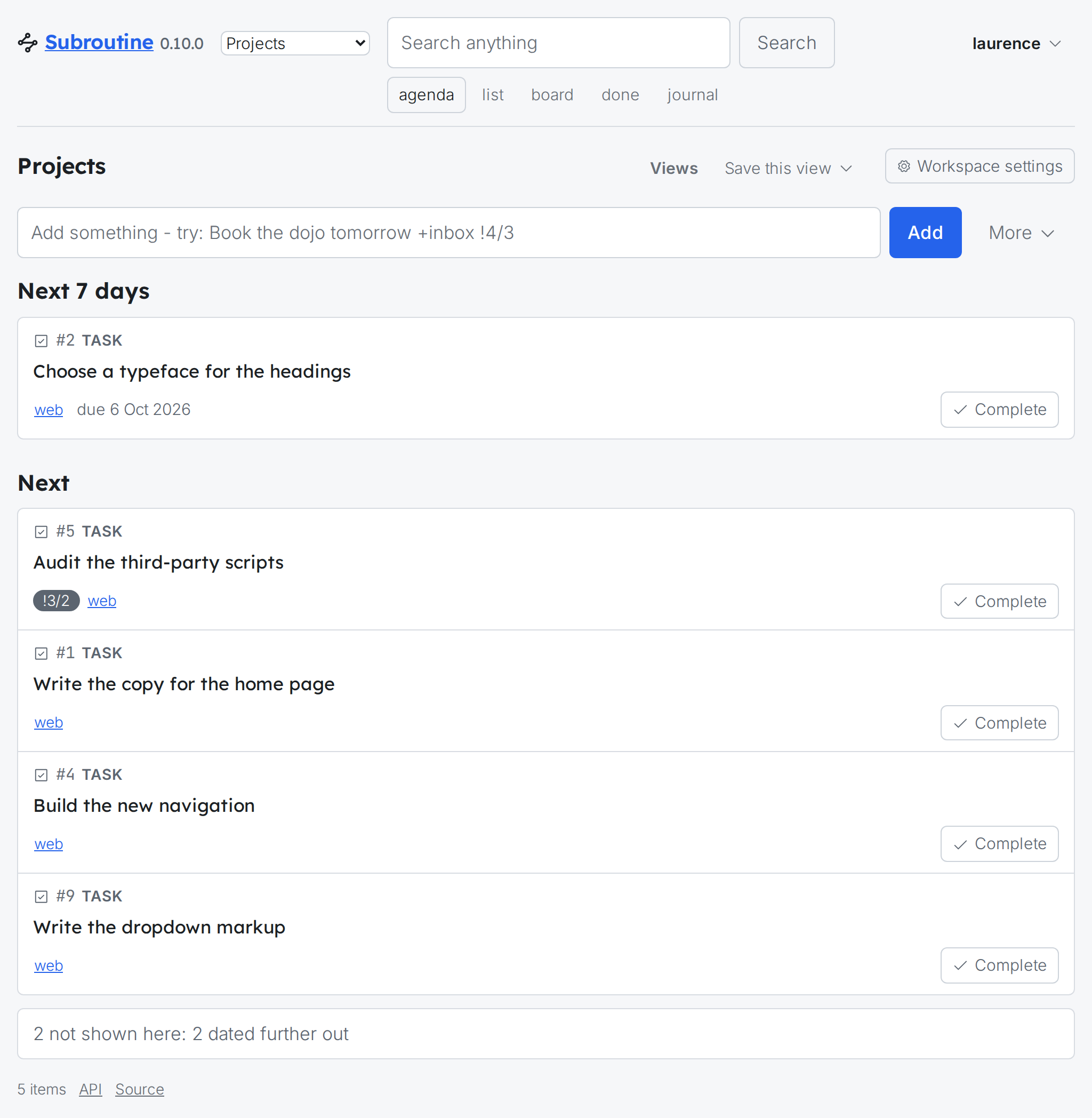
The page has the same sections in the same order. It is a day, not a backlog: what is overdue, what is due today, what is coming in the next week, what you have started, and what somebody is waiting on you for. Anything with no date and nobody waiting falls to Next, which is a tail rather than a plan. The note at the foot counts what it leaves out: the two milestones, dated further out than a week.
What it is bad at is everything. It will not show you a project, it will not show you what is done, and it deliberately will not show you four hundred open items. Asking it where did that thing go gets you nothing, which is the list's question.
Notice ^4 beside the dropdown markup: that is part of #4, which the terminal says on the line. The page's agenda draws #9 as a card like the rest, and says what it belongs to once you open it, as the end of this chapter shows.
The list answers where is that thing
subroutine list
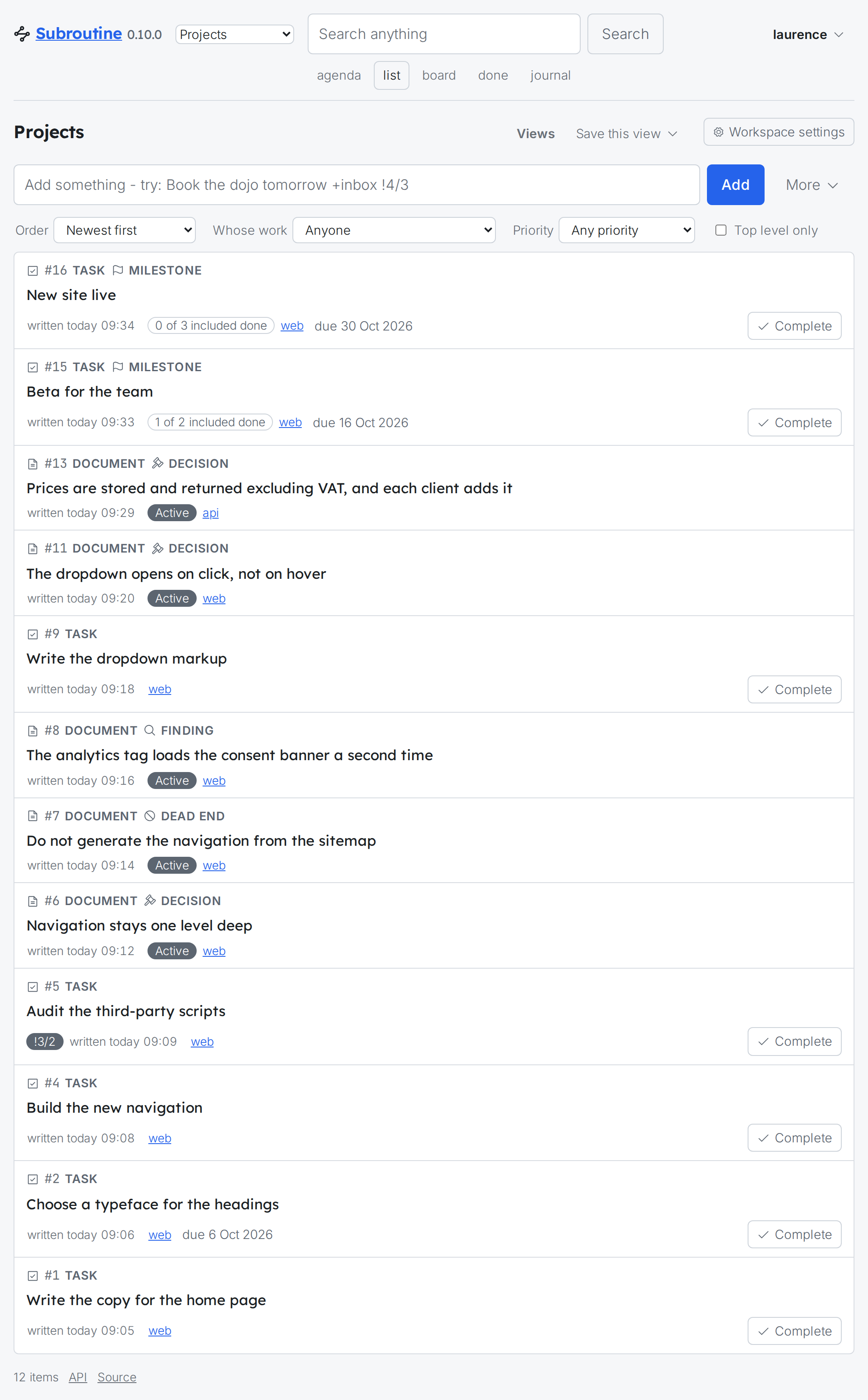
Tasks, documents and milestones in one list, newest first, across both projects. That is the thing to notice, and it is not a display trick: a decision and a task are both items, both numbered from the same sequence, and both turn up when you are looking for the thing you half remember. The two milestones at the top count what each includes: the beta has one of its two done, the phone check from overnight.
The page's version is where narrowing lives: the row above it orders the list and narrows it by whose work it is, by priority, and to top-level items only. The command narrows it with flags, by those and by project, status, type and tag, which is The command line's subject.
What it is bad at is telling you what to do. It is ordered by when things were written, not by what matters, and it will happily show you a decision from three weeks ago above the thing that is on fire.
The board answers what state is the work in
The board's columns are states, and the first is what this prints, everything still to be done:
subroutine list --status open
Dragging a card from one column to another sets that item's status, and that is the whole of what the gesture means. Which means the terminal can do it too:
subroutine start 9
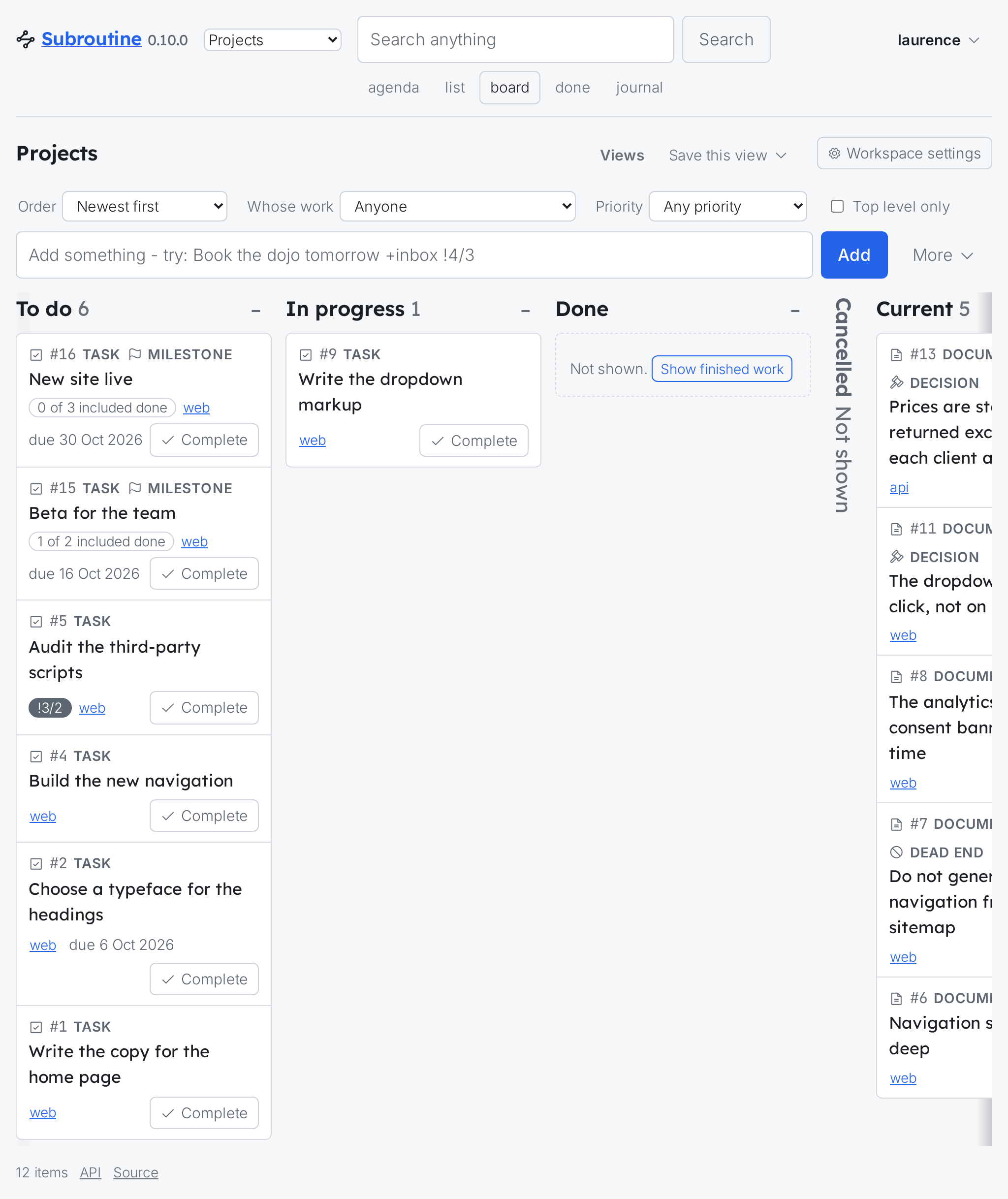
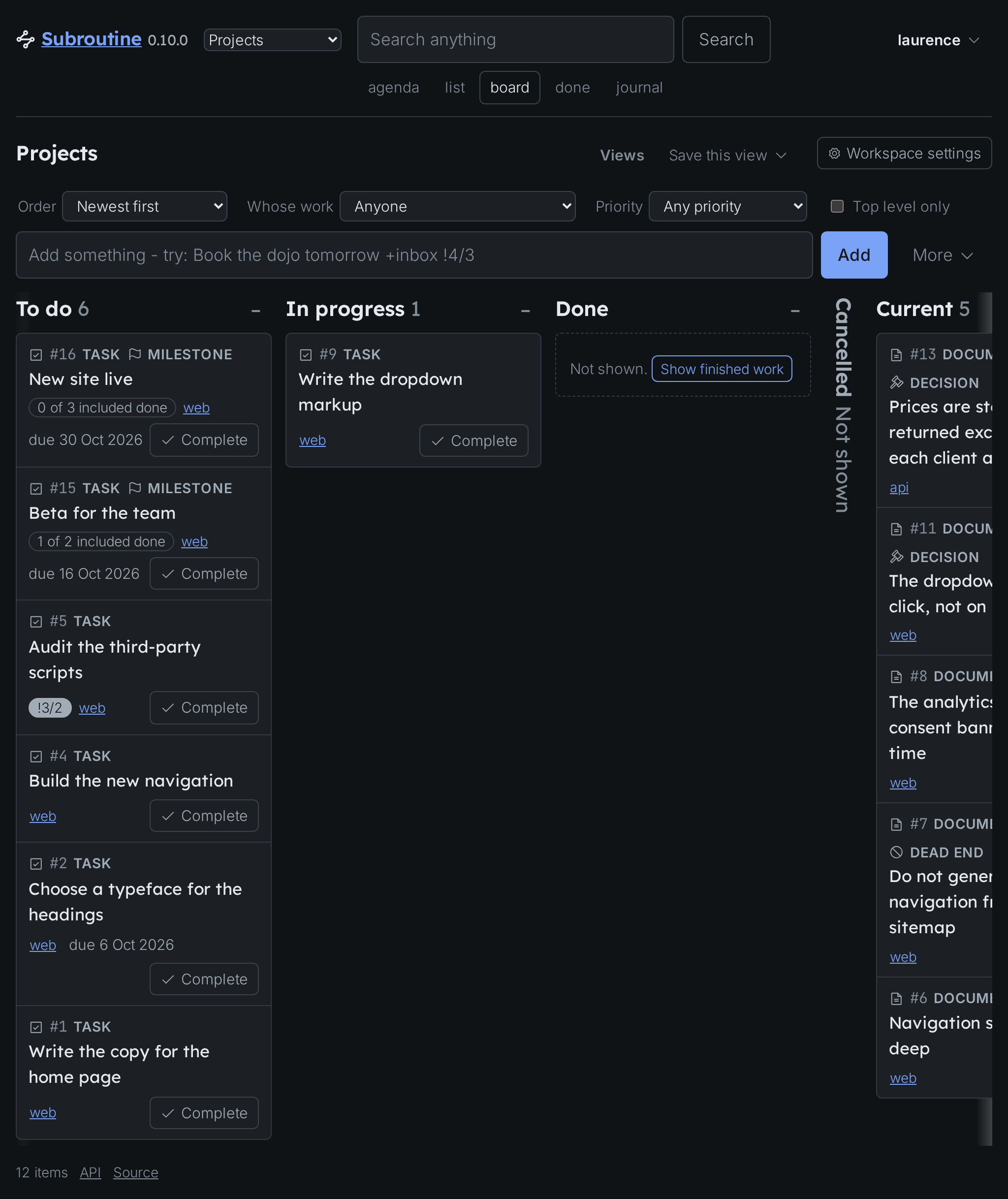
The card has moved from To do to In progress on the page, without the page being touched. A task's columns are To do, In progress, Done and Cancelled, the last two folded away until you ask to see finished work, and documents have a column of their own at the right, Current while they are in force, which a narrow window scrolls to. Look at the day again:
subroutine agenda
A new section appeared. The agenda did not have an In progress heading a moment ago, because nothing was in progress. The three views are one database asked three ways, so a change made anywhere is a change everywhere, and none of them is the real one.
What the board is bad at is priority and time. A column of thirty cards is thirty things in the same state and says nothing about which to pick, and a deadline is invisible on it unless you open the card.
Opening an item
Clicking anything, in any of the three, opens the whole of it. At the terminal that is subroutine show:
subroutine show 9
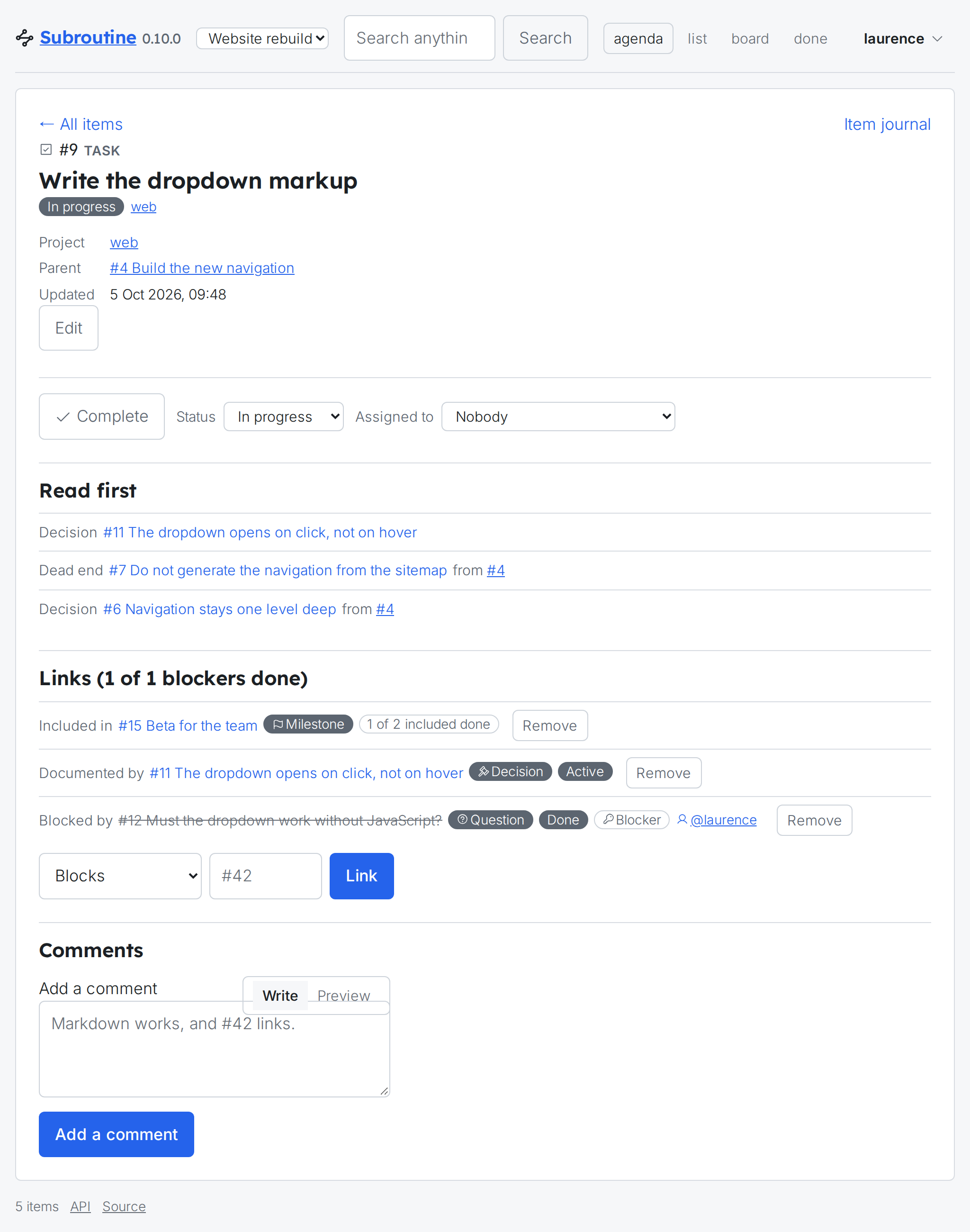
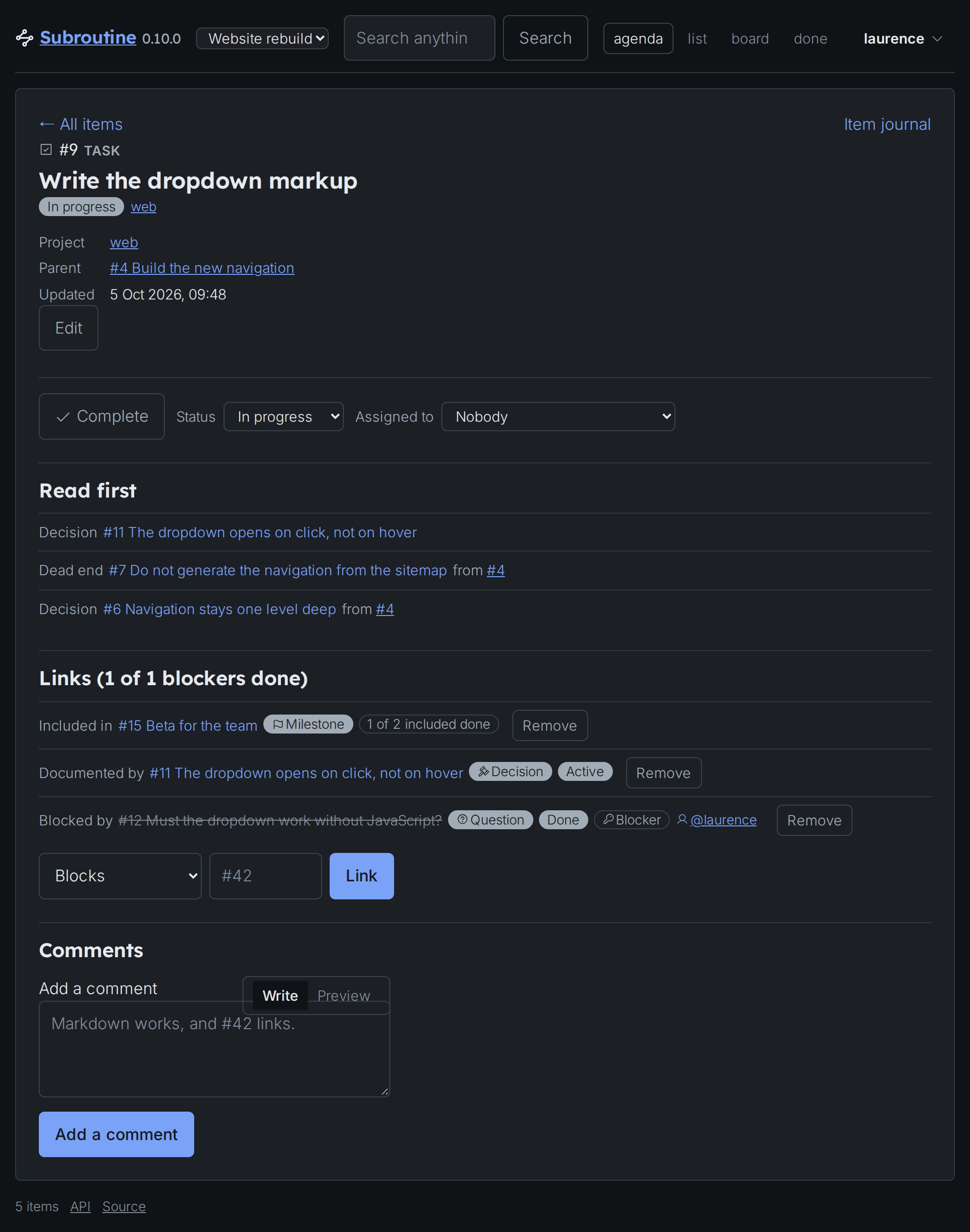
Read first comes before everything else recorded on it, on the page as at the terminal, for the reason Decisions, findings and dead ends gave: it is what binds whoever is about to start, so it goes where they cannot miss it. Above it is what you can change at once, its status and who it is assigned to; under it what it is joined to, the milestone it counts toward among them; and under that everything anybody has recorded against it, oldest first, with a box for adding to it.
This is the page your agent has been writing to for five chapters. Nothing here was entered by hand.
Which one to leave open
The agenda, on the second screen, is the answer for most people most of the time: it is the only one of the three that changes when the day changes. Open the board when you want to know whether anything is stuck, and the list when you are looking for something rather than deciding anything.
All three are read-only so far, in the sense that everything in them arrived from a terminal or an agent. The next chapter never goes near a terminal.